
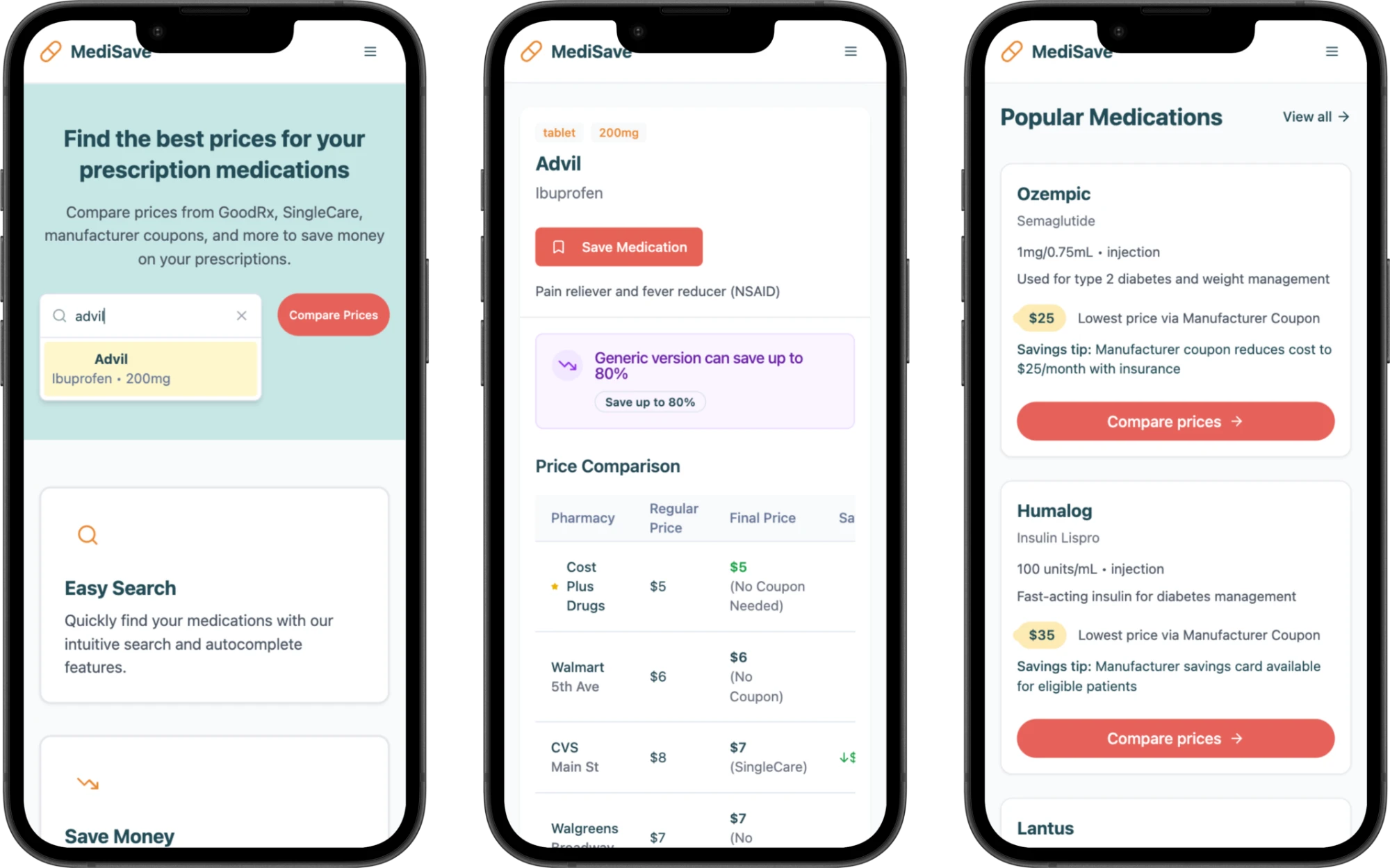
Comparing prescription prices and coupons in one search
Finding a coupon is only part of the task. Someone filling a prescription still needs to know where they can use it and what they might pay. I designed Medisave, a responsive web prototype that lets patients and caregivers explore those questions in one place. Explore the prototype

Prices and coupons were scattered across different sources.
Someone looking up a prescription may find a price on one site and a coupon on another. To decide where to fill it, they have to keep track of which price goes with which pharmacy and whether a discount applies. Someone who has never heard of a particular coupon program might miss that option altogether.
How can someone move from a medication name to a pharmacy price and understand how to use the matching coupon?
What people needed to know before choosing a pharmacy
I reviewed public discussions on Reddit and app store reviews of GoodRx and SingleCare to understand how people described the experience of looking for prescription discounts. I focused on a question relevant to both older adults managing their own prescriptions and caregivers helping someone else: once you know the medication name, how do you find an option worth taking to the pharmacy?
My research notes captured two different problems. Some people learned about a manufacturer discount only after looking elsewhere. Others had already found a coupon and still wondered whether the pharmacy would accept it. That distinction shaped the flow: make discounts visible during comparison, then give each option its own coupon details.
I narrowed the prototype to three tasks: looking up a medication, comparing pharmacy prices and finding the coupon associated with an option. I used Figma to work out the screens and Lovable to turn the flow into an interactive web prototype with sample prices and coupons.
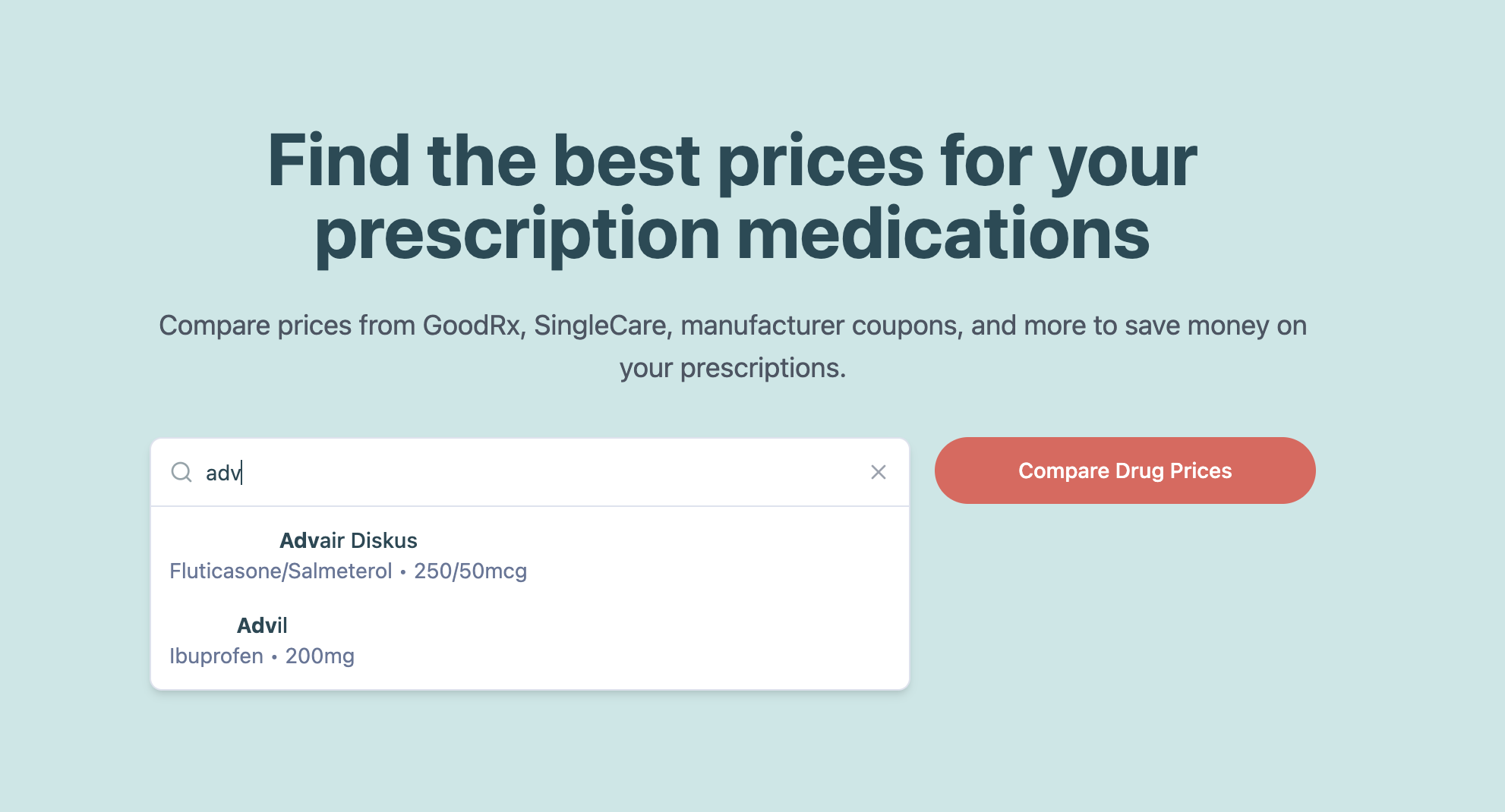
01 — Starting with the medication name
I placed the search field at the top of the home page. The medication name gives people a familiar starting point, even if they have never used a coupon service or decided which pharmacy to visit.
Prototype screens use sample prices and coupon details.
Swipe to inspect the screen →
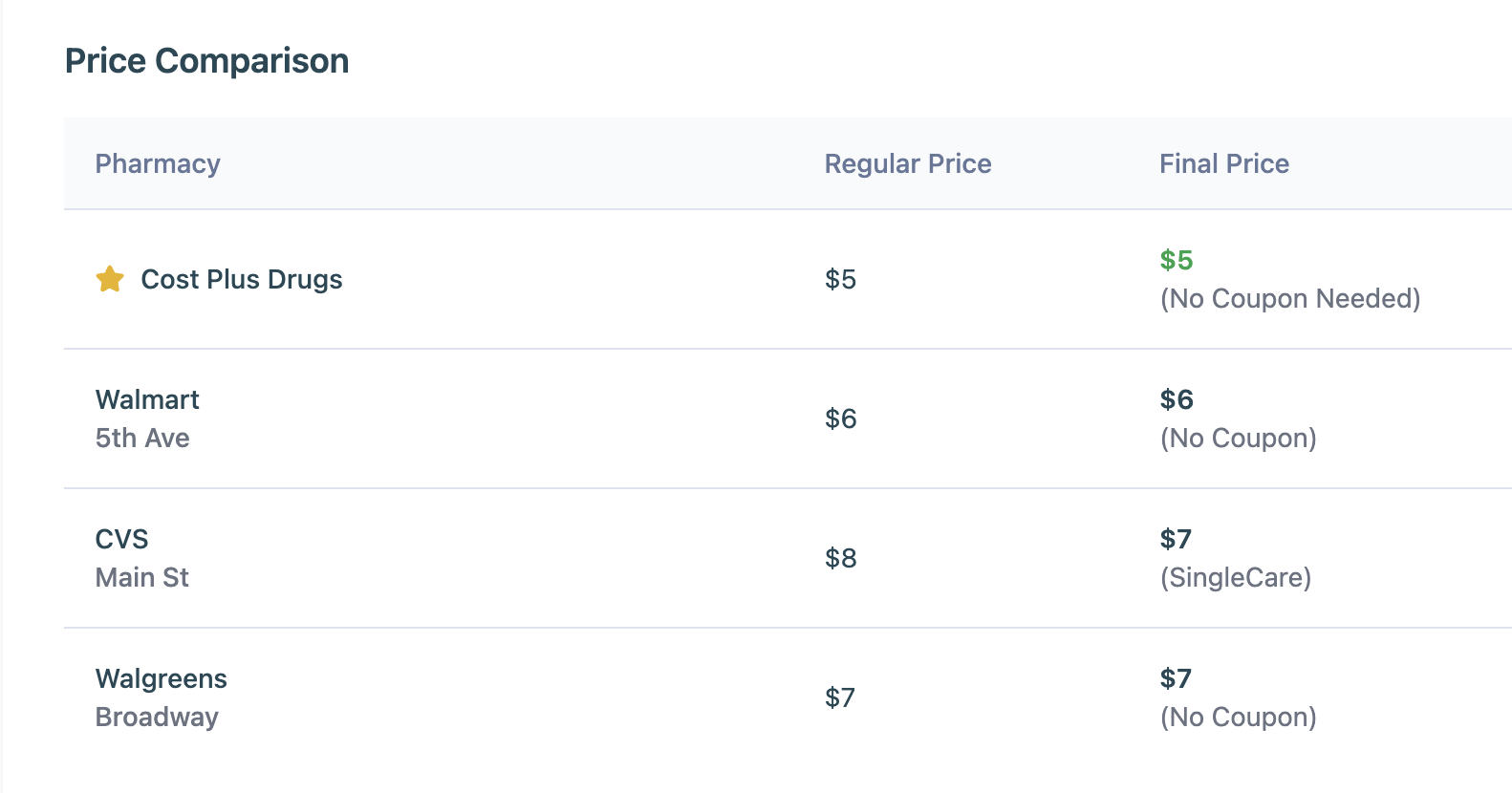
02 — Comparing pharmacy prices in one view
I grouped pharmacy names and prices on a single results screen. Someone comparing two options can look back and forth between them while keeping the medication in view. The price difference is easier to inspect when there is no need to remember an amount from another page.
Swipe to inspect the screen →
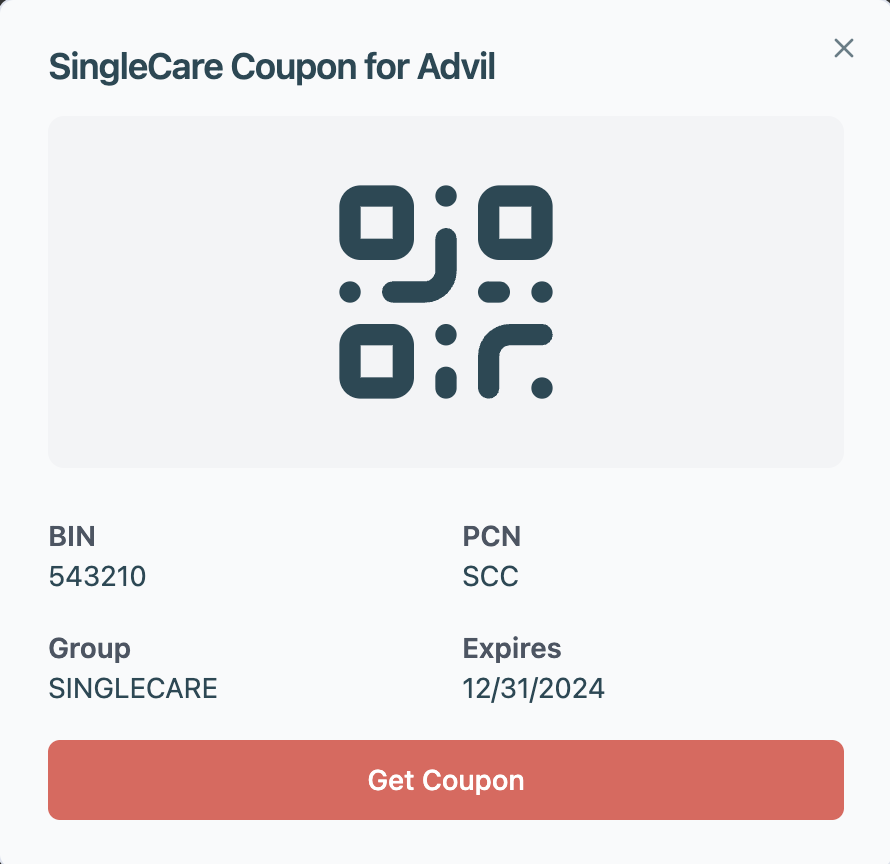
03 — Connecting the coupon to the pharmacy price
From a pharmacy option, people can open the coupon details. I wanted the handoff to answer a practical question: “If I choose this price, what do I show at the counter?” Testing exposed a gap at that exact step.
Swipe to inspect the screen →
Original prototype demo
A recording of the April 2025 prototype, using sample prices and coupon details.
Testing the trip from search to the pharmacy counter
My April 2025 report covers a remote, unmoderated usability test with six participants. The study covered medication search, comparing prices and finding a discount, account access, saving a medication, and finding help. One task asked people to choose a deal and work out how they would use it. That let me see where the prototype stopped helping, even after someone had found a price.
Choose a deal and work out how you would use it.
People could compare prices. Using the coupon was harder.
- Observed
- Participants moved quickly from search to comparison, and the report describes the pharmacy prices as easy to read. The friction came one step later. The button said Apply Coupon, but the screen left it unclear whether clicking had already applied the discount or whether the person needed to show something to the pharmacist.
- Recommendation
- My first priority would be to name the action precisely and put the redemption instructions beside the coupon.
- To validate
- In a follow-up test, I would ask someone to explain what they would do at the counter.
A price needed more context to be useful
- Observed
- In the test version, a search for Advil surfaced unrelated results. The report also flagged a pharmacy distance displayed in “mL” and listings that made local and online pharmacies look alike. Even an easy-to-read price left questions about which offer matched the prescription and where it was available.
- Recommendation
- I recommended filters for medication form and quantity, clearer pharmacy labels, and sorting by price or distance.
Saving a medication needed visible confirmation
- Observed
- The profile had a Saved Medications section, yet a saved item did not always appear there right away. The empty state gave the same message someone would see if they had never saved anything.
- Recommendation
- My recommendation was to confirm the save at the point of action and make the profile reflect it. This matters for someone returning at refill time who expects to pick up where they left off.
Expected Outcomes
I designed the search and comparison flow around three changes I would expect to see when someone looks for a prescription discount.
Less time searching
A single search could reduce the time spent looking up the same prescription on several sites.
Easier price comparisons
Seeing pharmacy prices together could help someone identify the lower-cost option for the prescription they need.
Easier coupon discovery
Showing a coupon alongside the pharmacy price could help someone find a discount they would otherwise miss.
What I would test next
I would ask participants to find a price and the corresponding coupon for a specified medication, dose and quantity, using Medisave and then their usual sources, with the order varied across participants. I would record how long each task took and whether the participant matched the right prescription, price and pharmacy. That would let me evaluate speed alongside the accuracy of the choice.