
Designing a creative activity app for children and caregivers
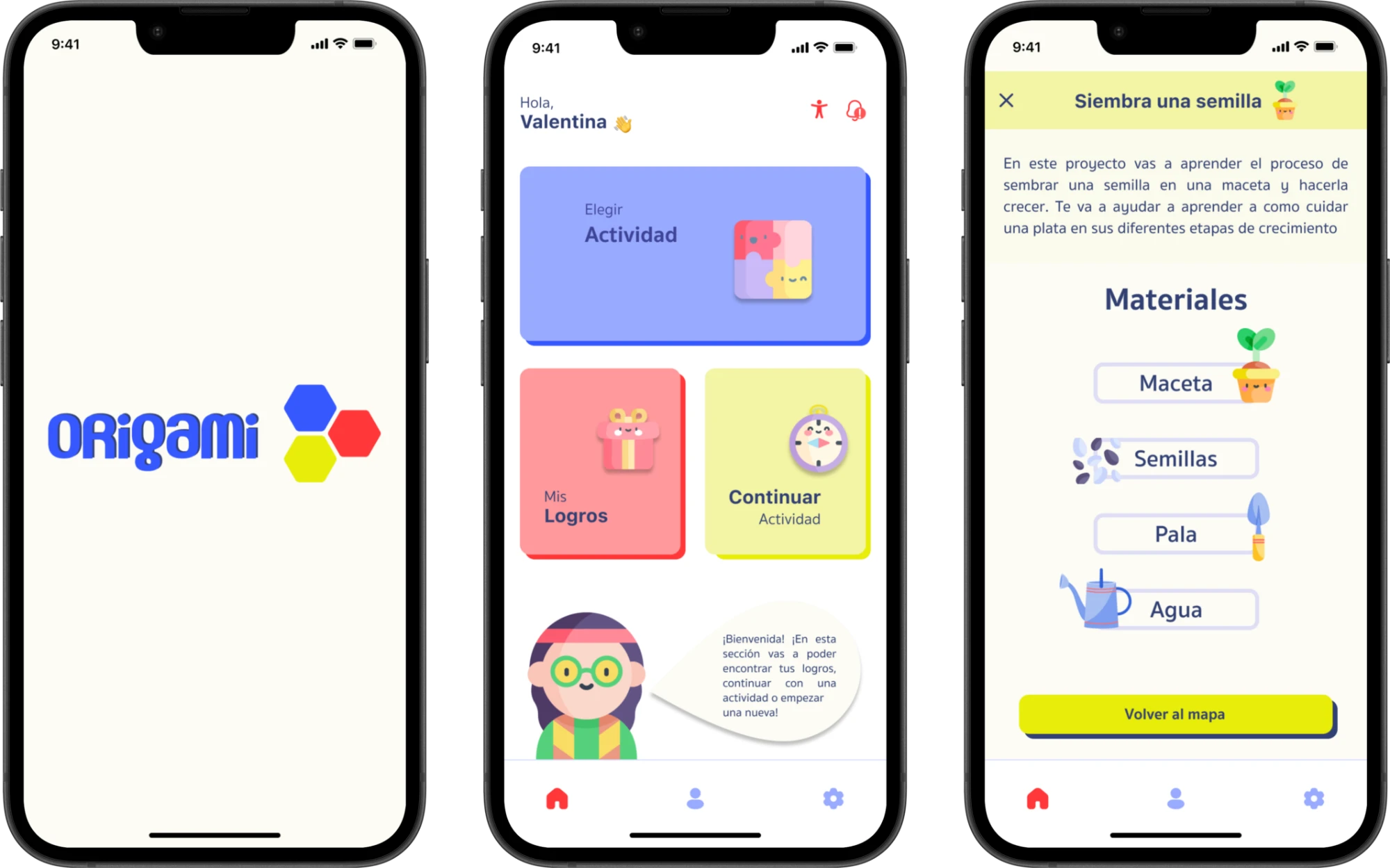
A mobile app concept for children ages 6–9, developed for families in Argentina. Origami combines guided hands-on activities, 30-minute sessions, and caregiver tools for configuring daily sessions and reviewing activity. Explore the prototype

From Passive Watching to Active Creating
Caregivers in our survey in Argentina reported children spending 3+ hours a day on screens, often watching videos on YouTube. Parents were looking for creative, educational alternatives to keep their children engaged, while also wanting tools to manage screen time and reduce the frustration around stopping.
This shaped the challenge for Origami: using children’s interest in screens to encourage creativity and hands-on play, with caregivers involved in setting limits and guiding the experience.
How can we help kids use screens to inspire creativity and real-world play, while giving parents tools to manage screen time?
Creative activities, 30-minute sessions, and caregiver tools
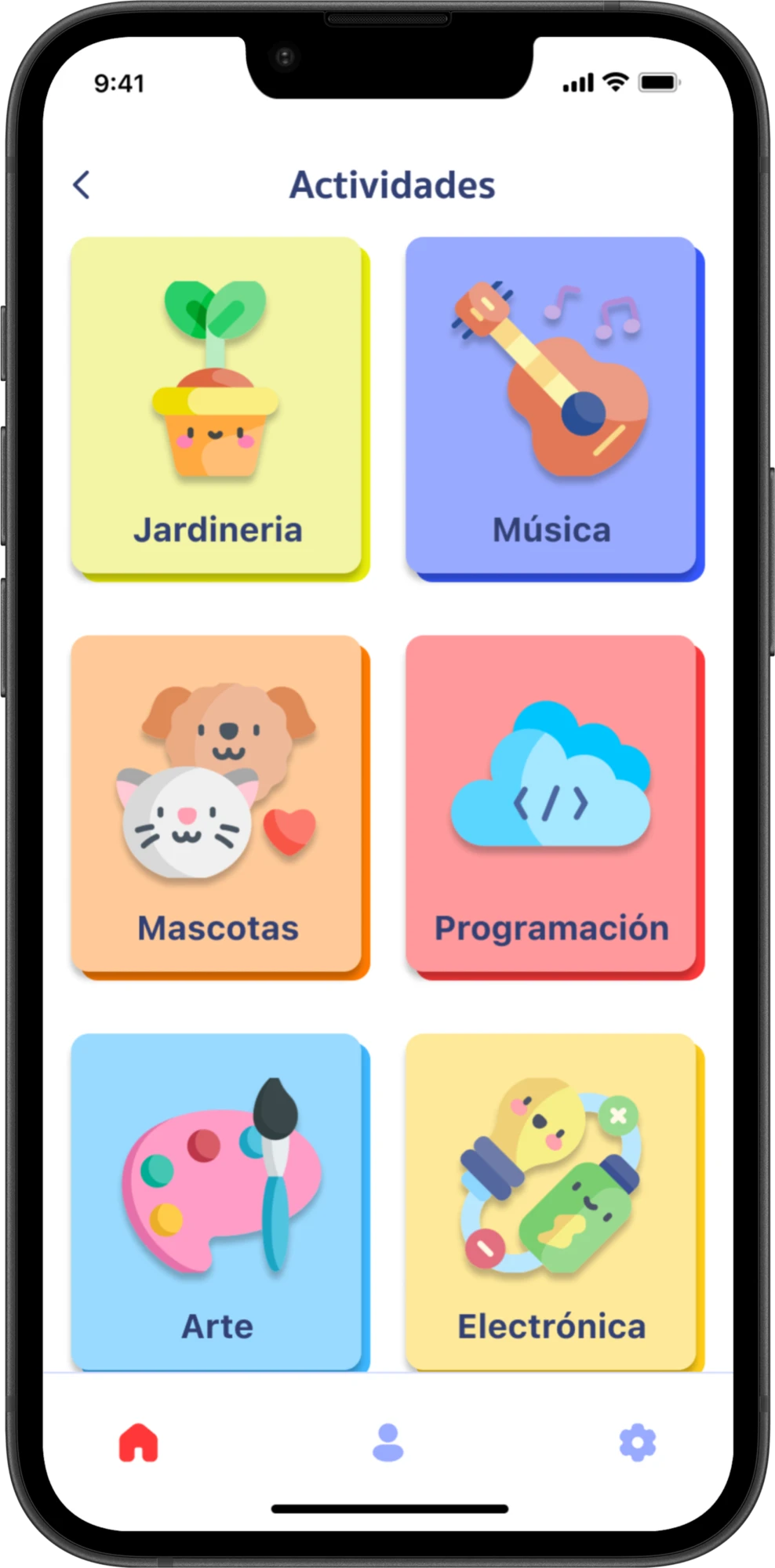
Origami guides children through practical projects in areas such as gardening, art, and music. Children choose an activity, gather materials, and follow video instructions. Caregivers configure the number of daily sessions, with 30 minutes as a design starting point, and review activity through a separate overview.
Choose an activity
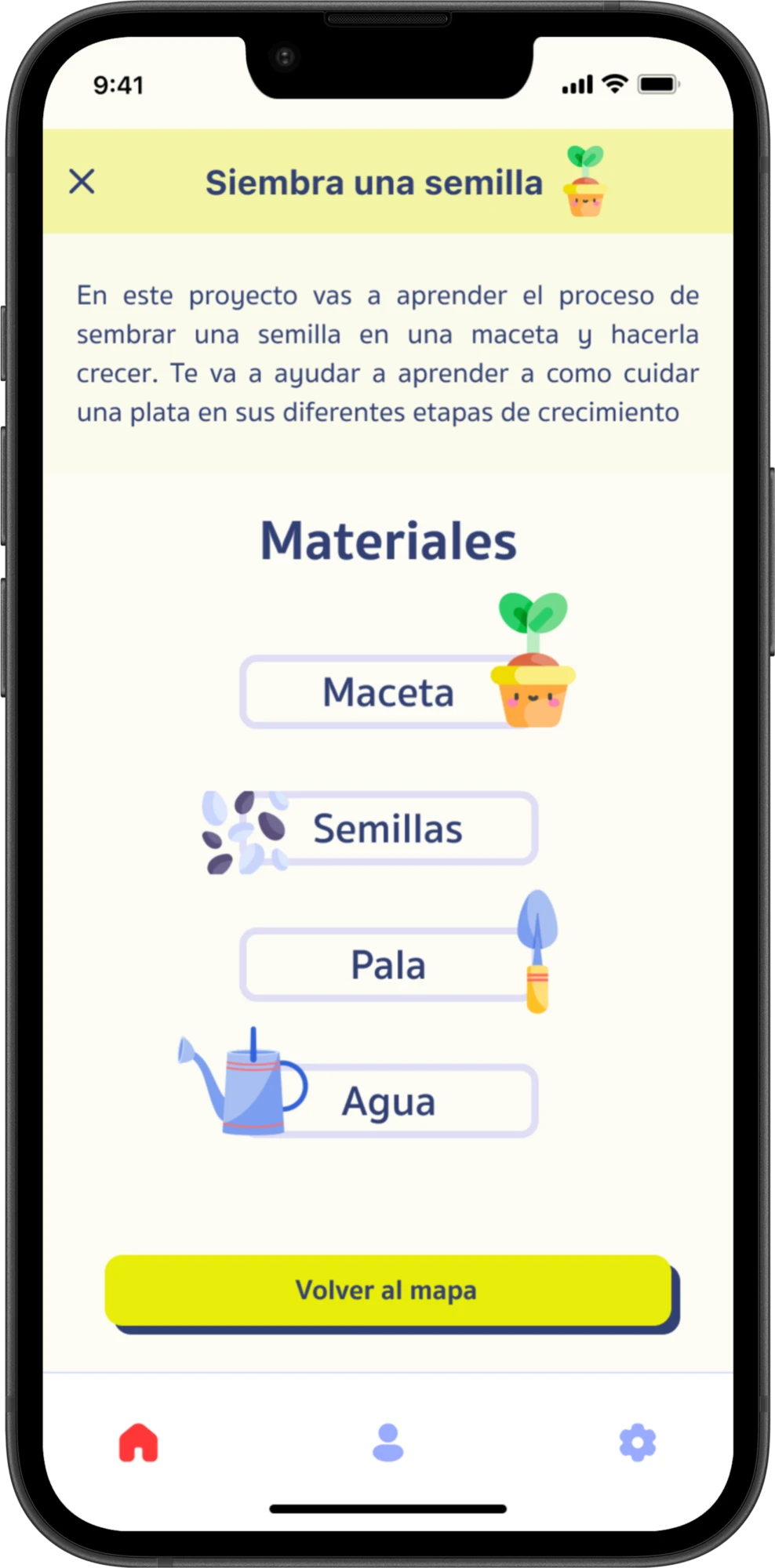
Prepare to create
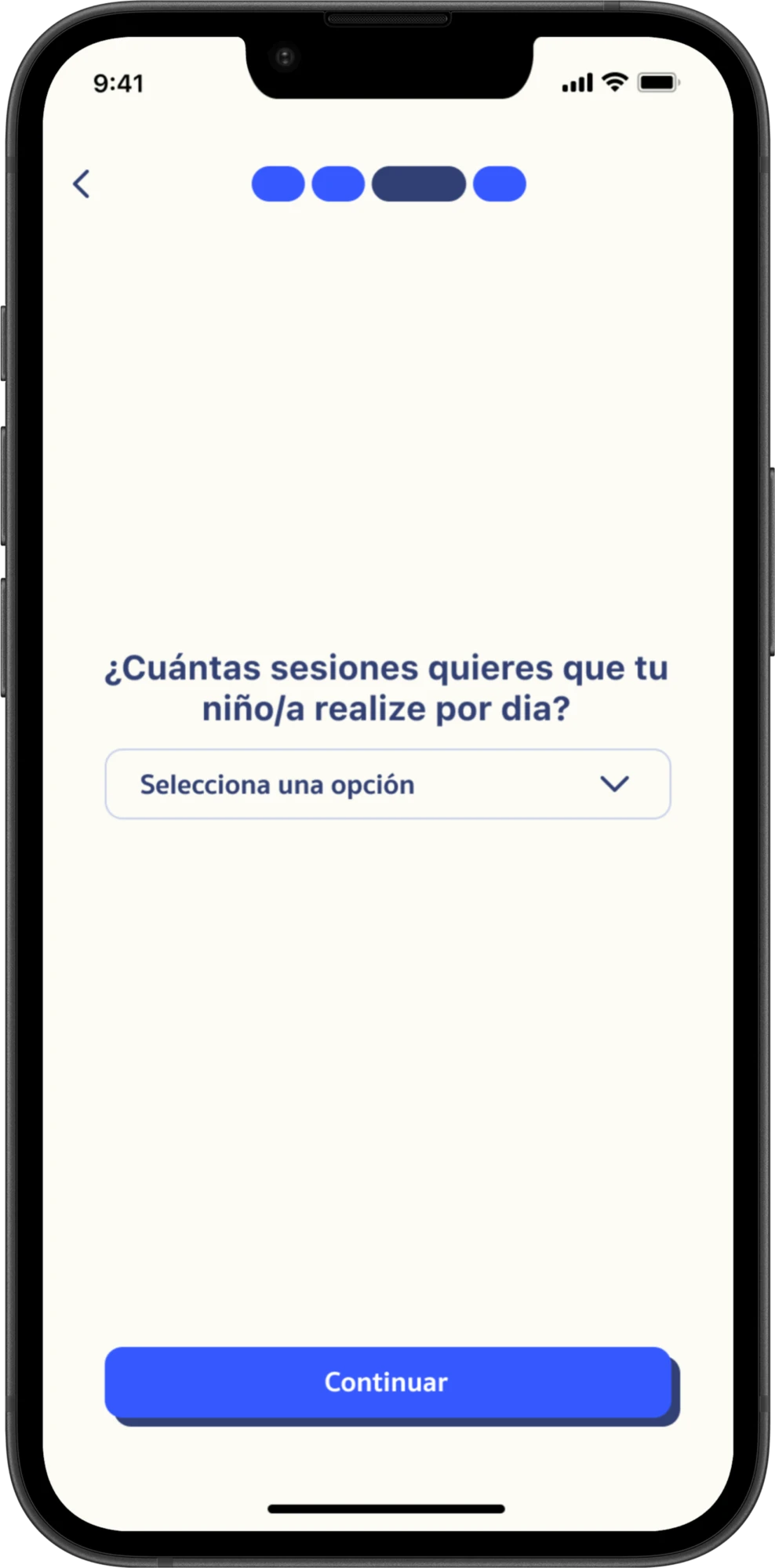
Configure daily sessions
Swipe to compare →
Caregiver feedback on limits and transitions
I combined desk research, a caregiver survey with 22 responses from parents and guardians, and a review of educational and parental-control apps. Two findings helped shape the experience.
Ending screen time could create friction
Survey responses described resistance when devices were put away.
Design implication: Consider how children prepare for the end of a session, alongside how they begin an activity.
Caregivers already used advance notice
Some respondents explained the time available and agreed on when device use would end.
Design implication: Explore session settings that support these agreements, with advance reminders as a future iteration.
Explore the research board“I tell them in advance how long they can use it and when to put the device away. We reach an agreement.”
Caregiver survey response, translated from Spanish.
Mapping the caregiver and child journeys
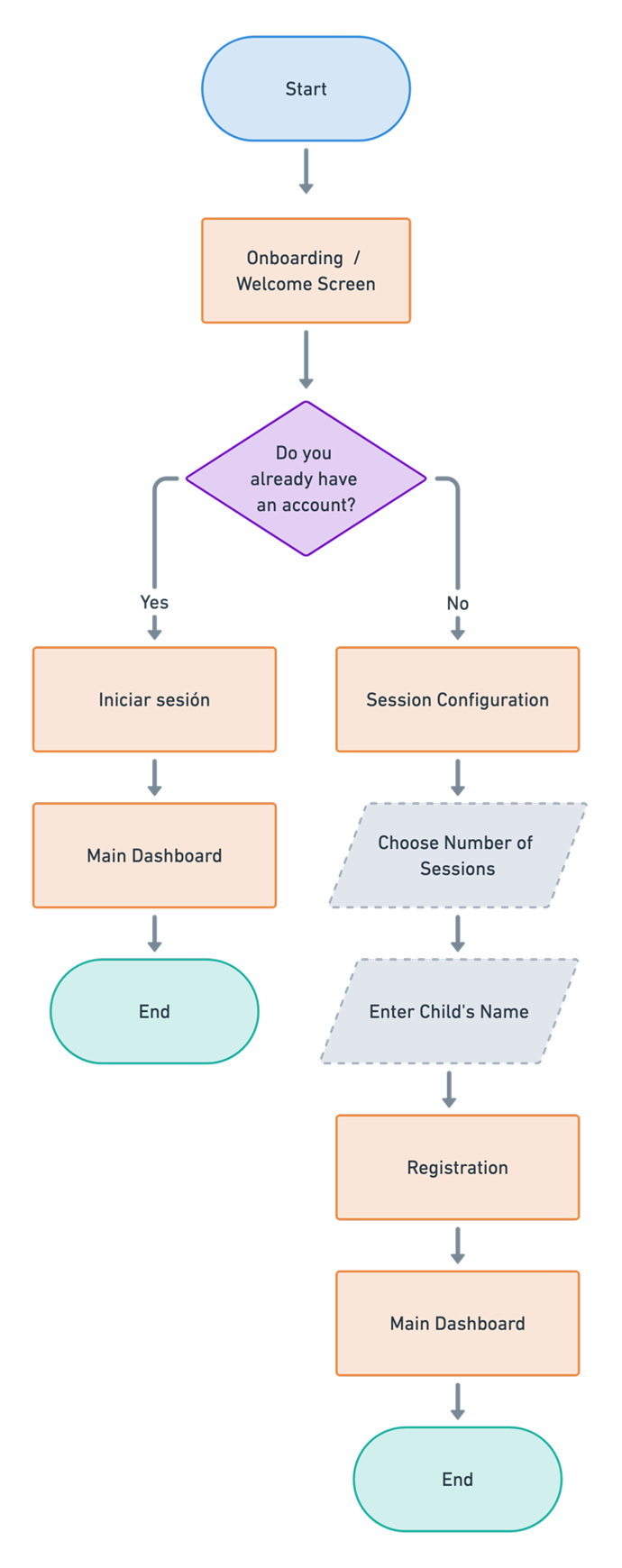
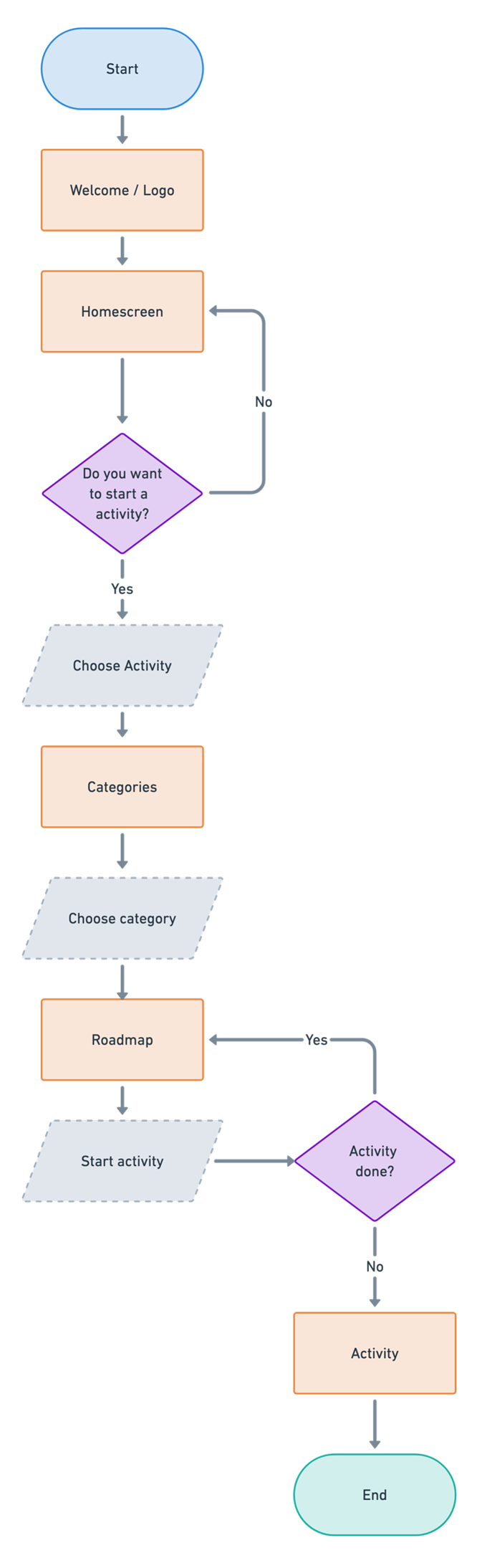
I mapped two connected journeys: caregivers configure sessions and review activity, while children choose projects and follow instructions.
Caregiver flow
Session setup and activity review.
Child flow
Activity selection, preparation, and instructions.
01 — Prioritizing activity selection on the Home screen
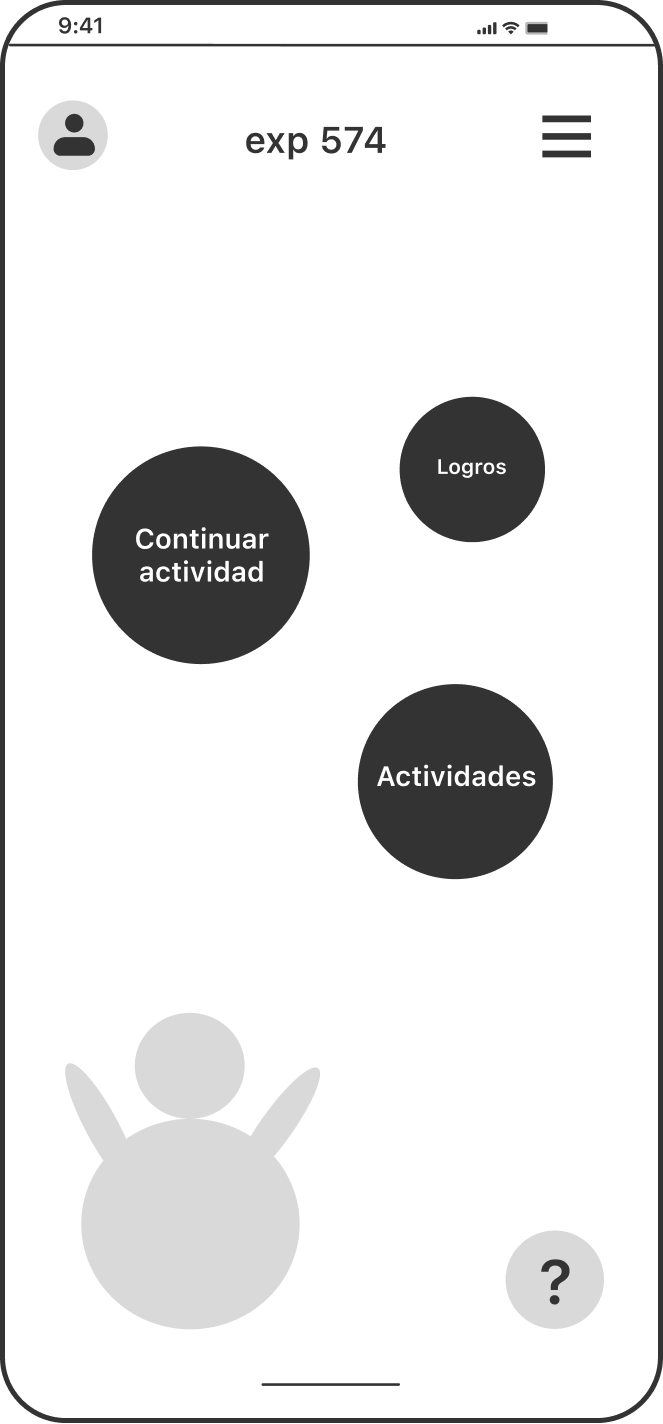
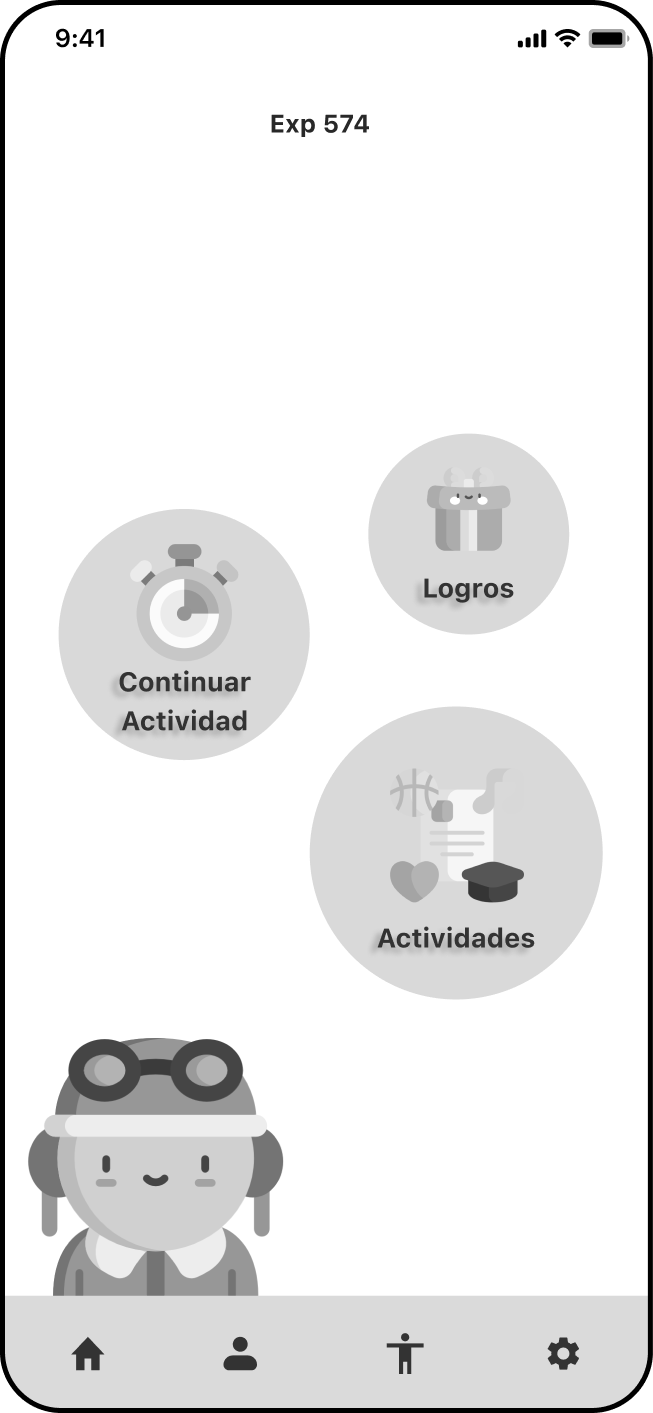
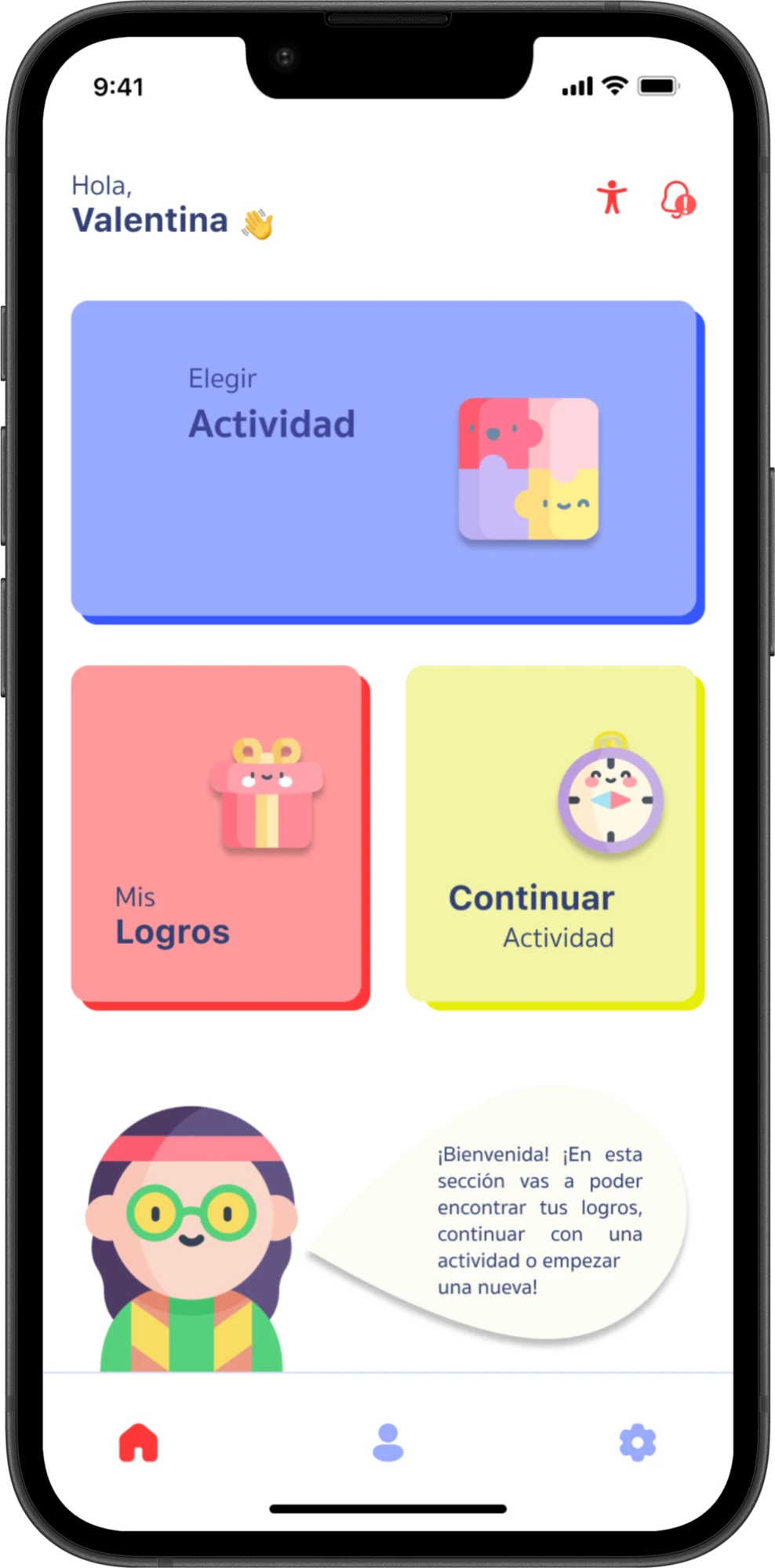
The early designs already included three main actions: choose an activity, continue an activity, and view achievements. The iteration focused on their hierarchy and presentation.
“Choose an activity” became the largest card. The other actions moved below it, illustrations supported the labels, and the unexplained “Exp” indicator was removed from the Home.
Early wireframe
Intermediate design
Final prototype
Swipe to compare →
- More prominence for activity selection.
- A consistent arrangement of the three actions.
- Illustrations paired with text labels.
Clarifying the activity path
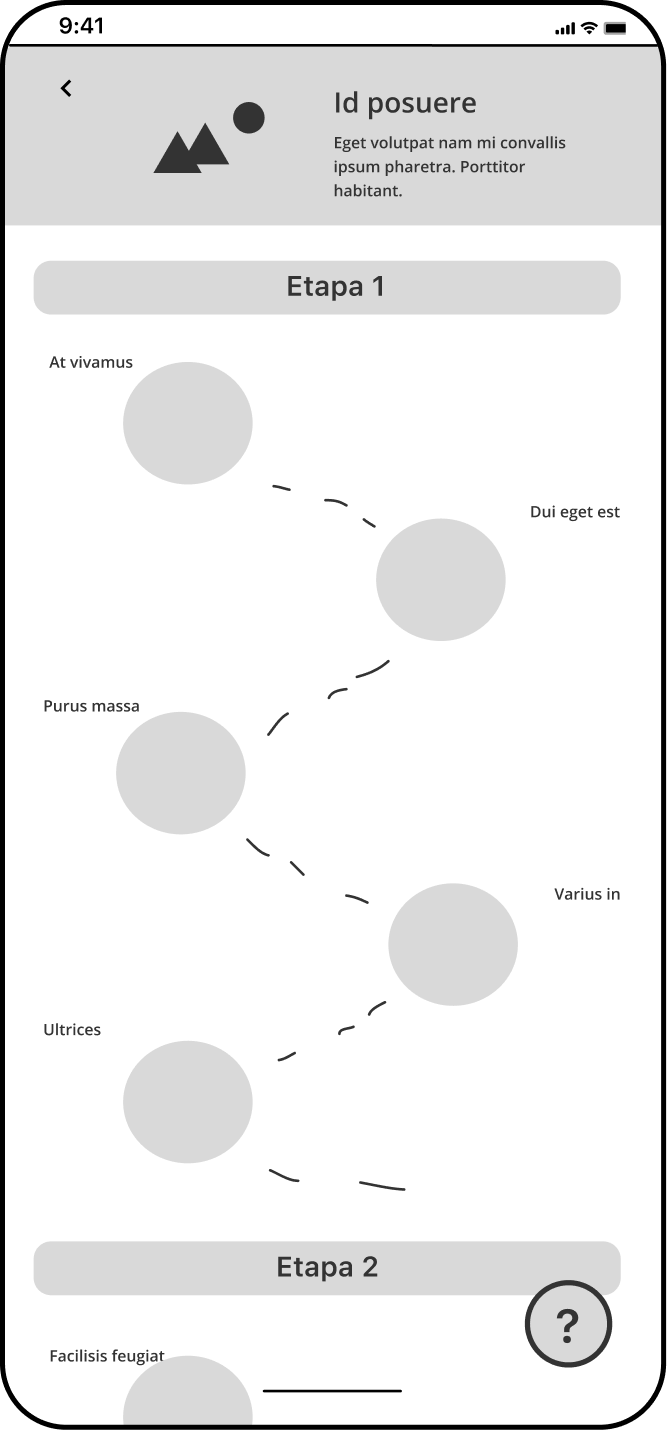
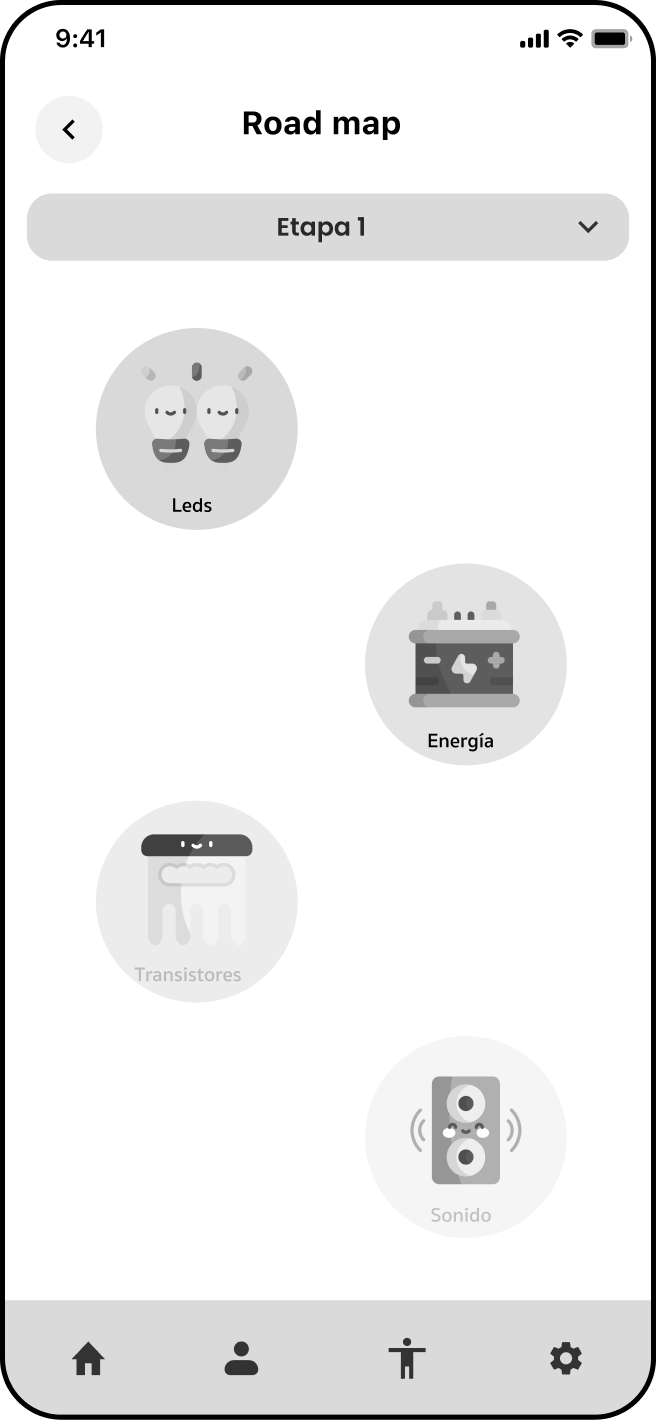
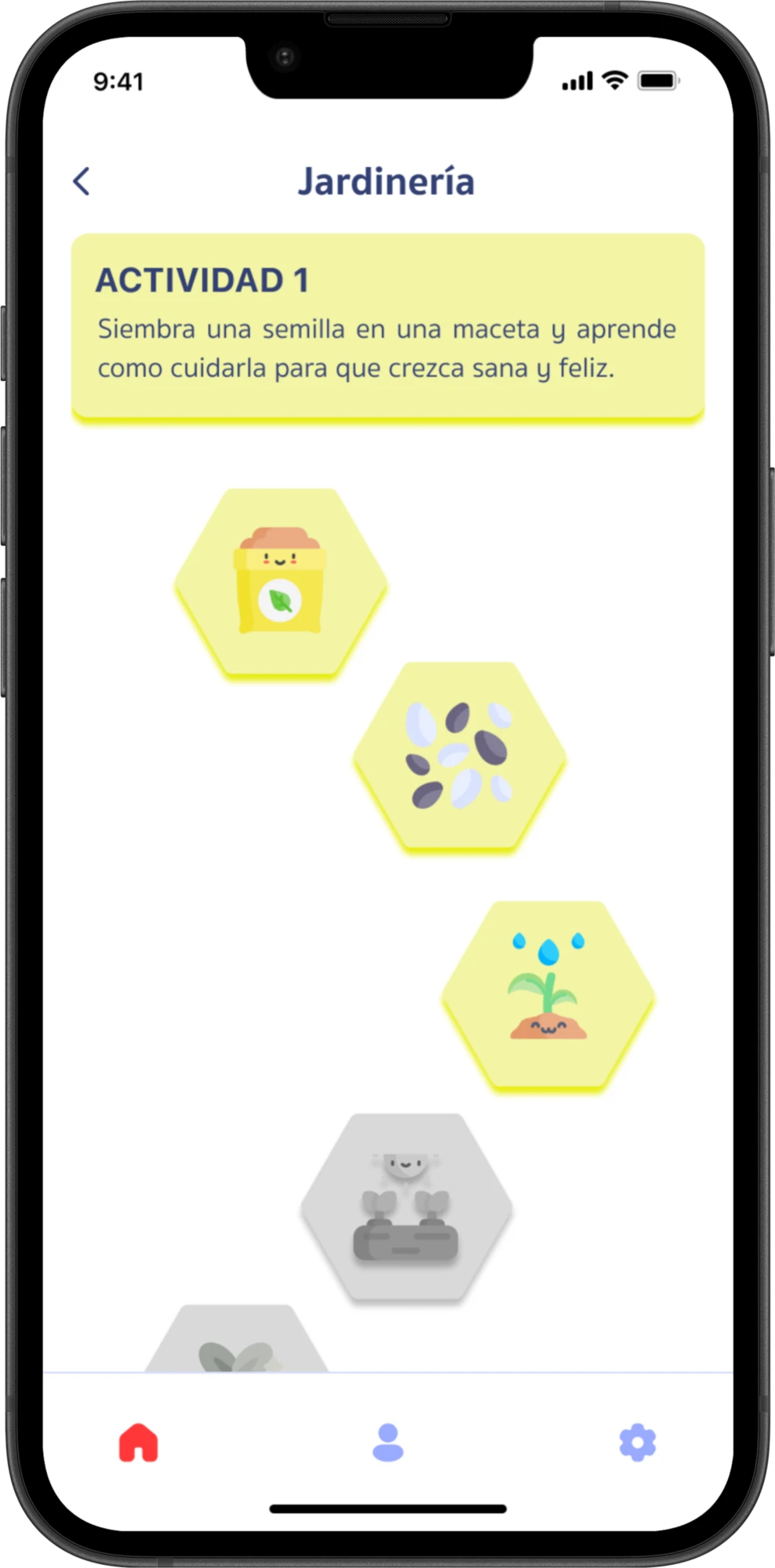
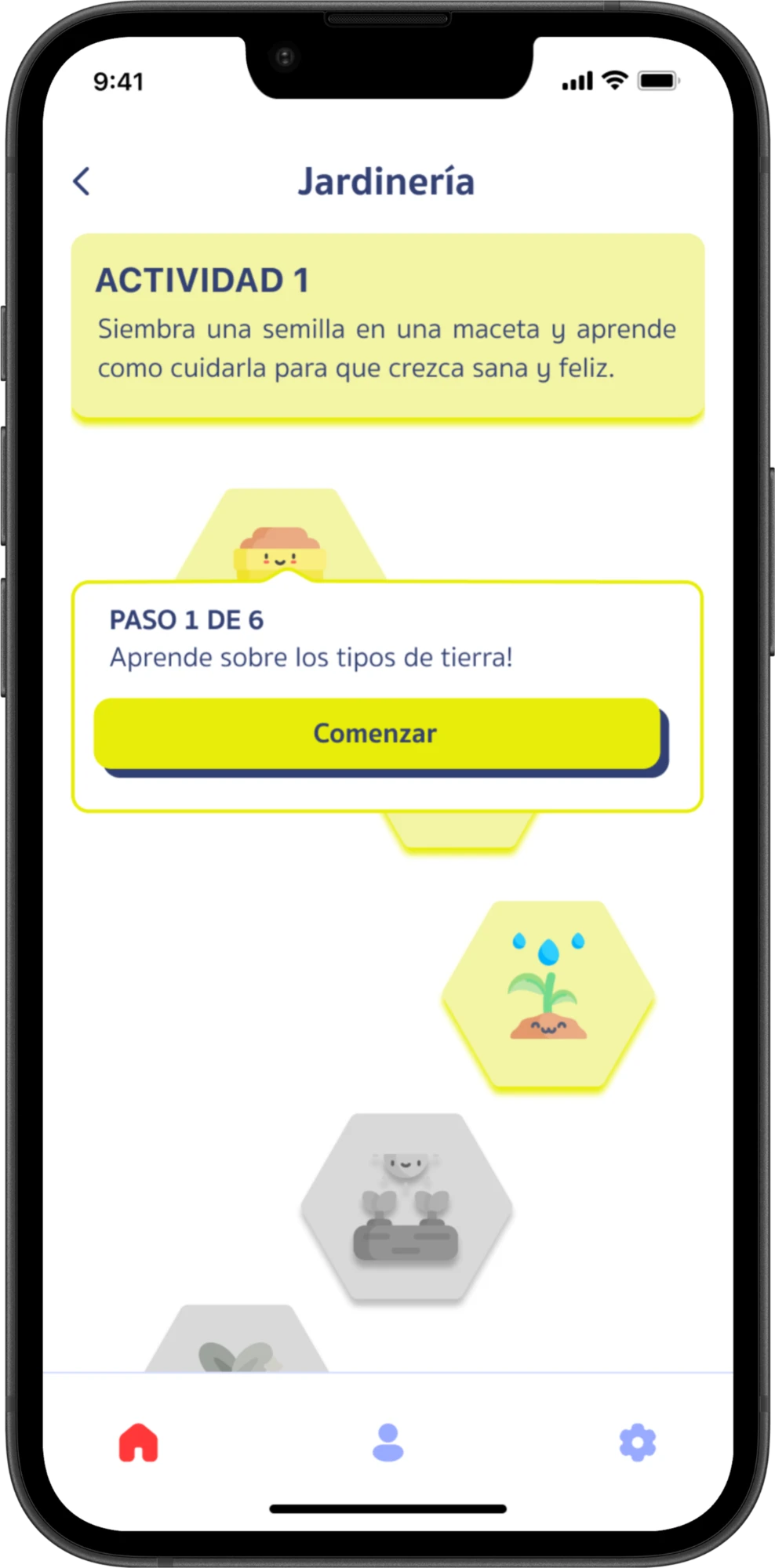
Early feedback from adults revealed that the path could be mistaken for separate categories. The design evolved from a generic “Road map” screen to a topic-specific view with an activity description and revised available and locked states.
Early wireframe
Intermediate design
Jardinería final
Swipe to compare →
Feedback on icons and the “Exp” label also reinforced that visual cues need clear meaning. Illustrations, labels, and video were used as complementary forms of guidance.
02 — Showing materials before video instructions
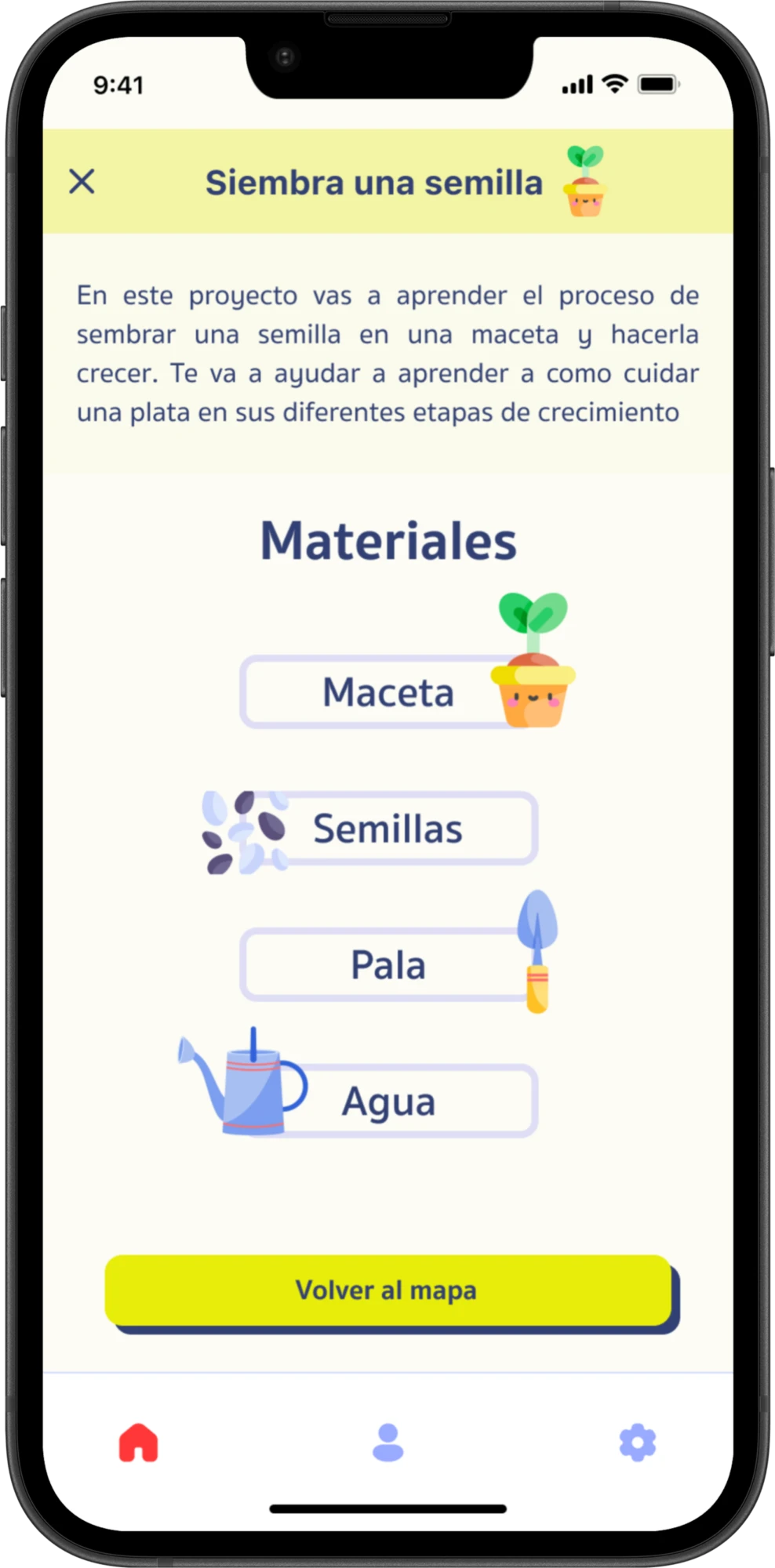
Activity introductions show the project and its materials before the instructional video. This gives children and caregivers a chance to prepare before starting.
The sequence connects digital instructions with a physical task. Testing with real materials would help identify when children could proceed independently and when adult support was needed.
Understand the activity
Gather materials
03 — Configuring sessions and reviewing activity
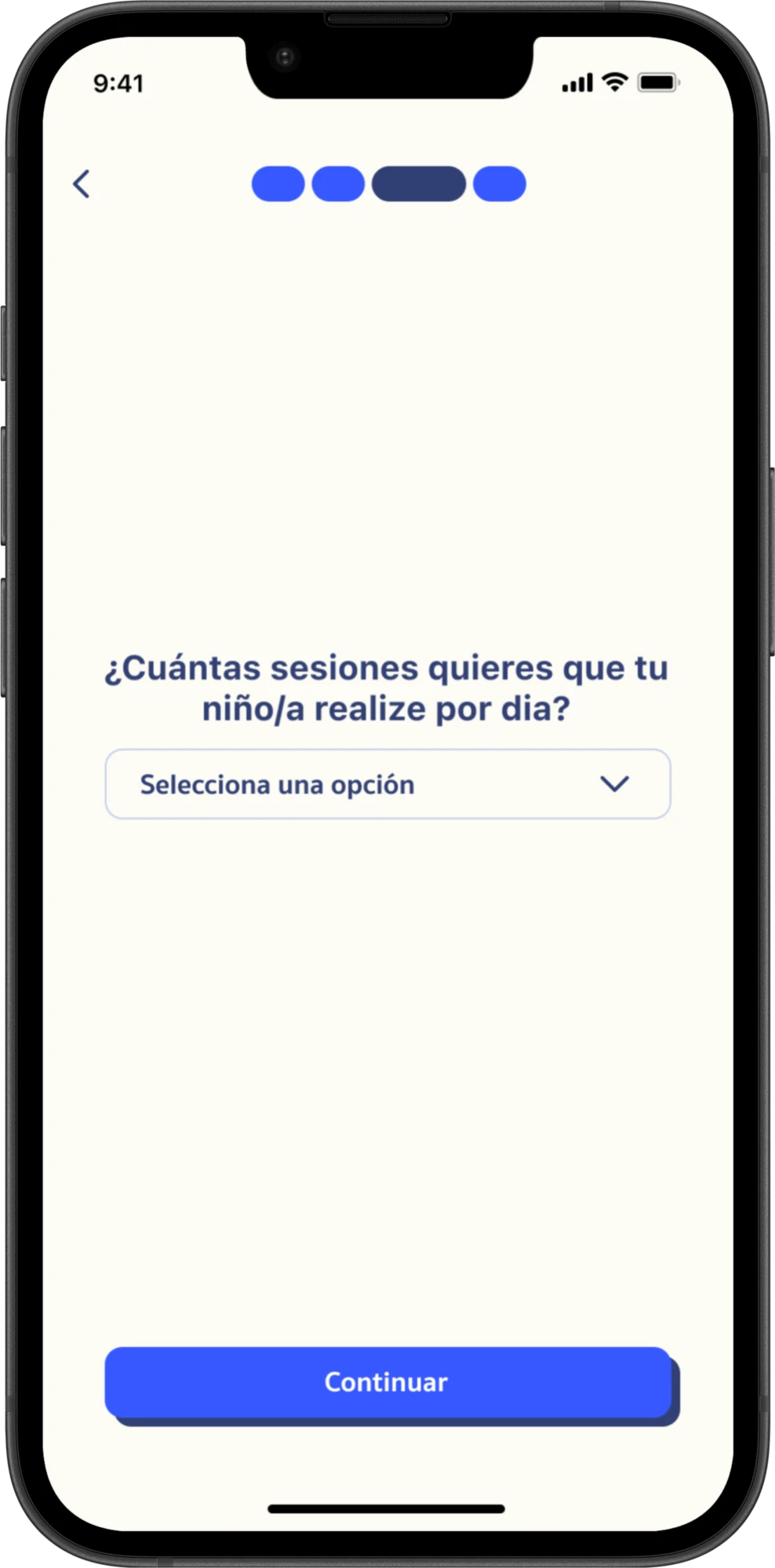
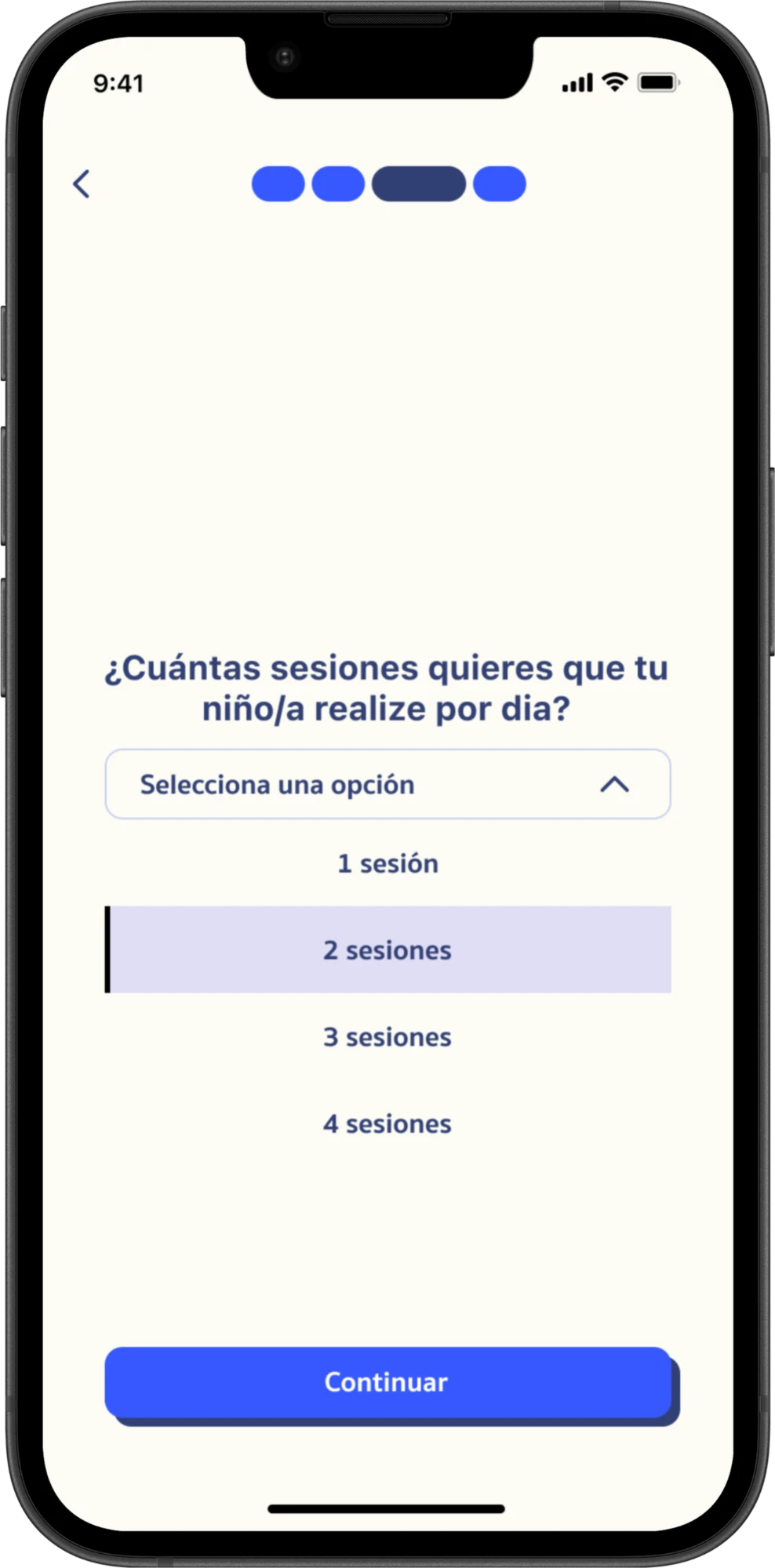
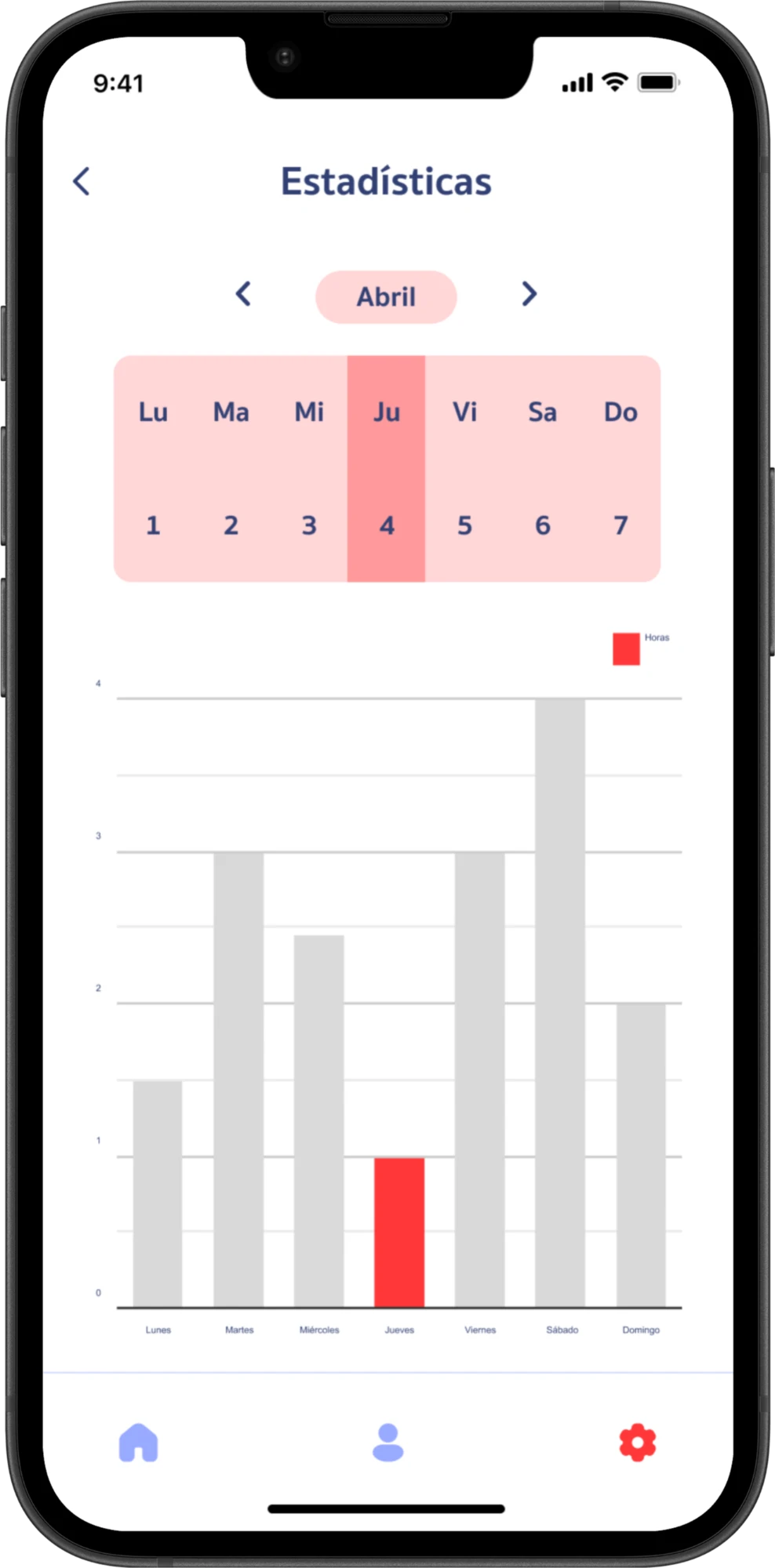
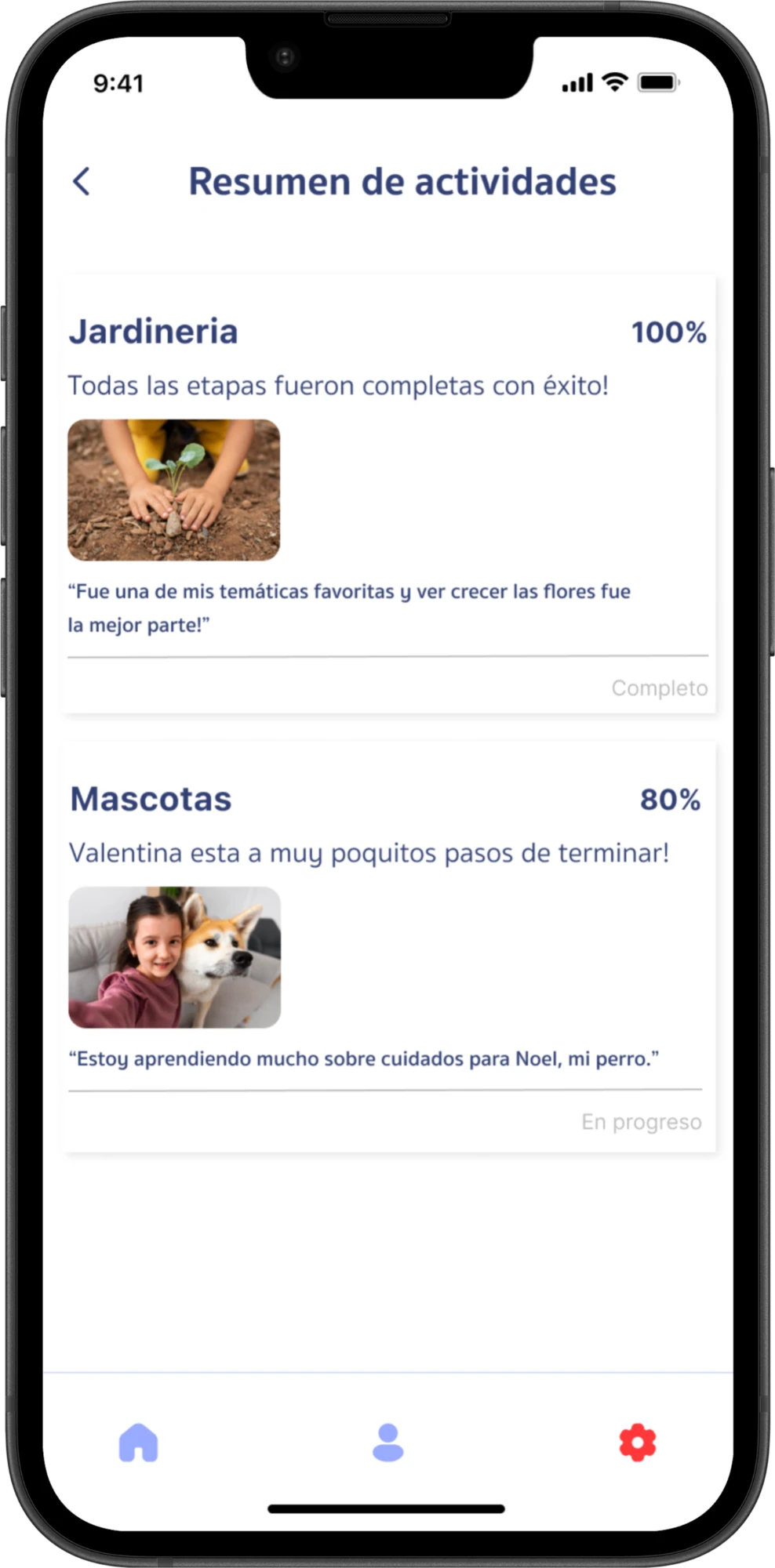
Caregiver tools connect expectations before use with an overview afterward. The prototype includes a daily session selector, usage statistics, and activity summaries.
The 30-minute session length was a design starting point. Advance reminders and protected access to caregiver settings remained next steps.
Configure sessions
Review activity and usage
- Configure the number of daily sessions.
- Review activities and progress.
- View usage statistics.
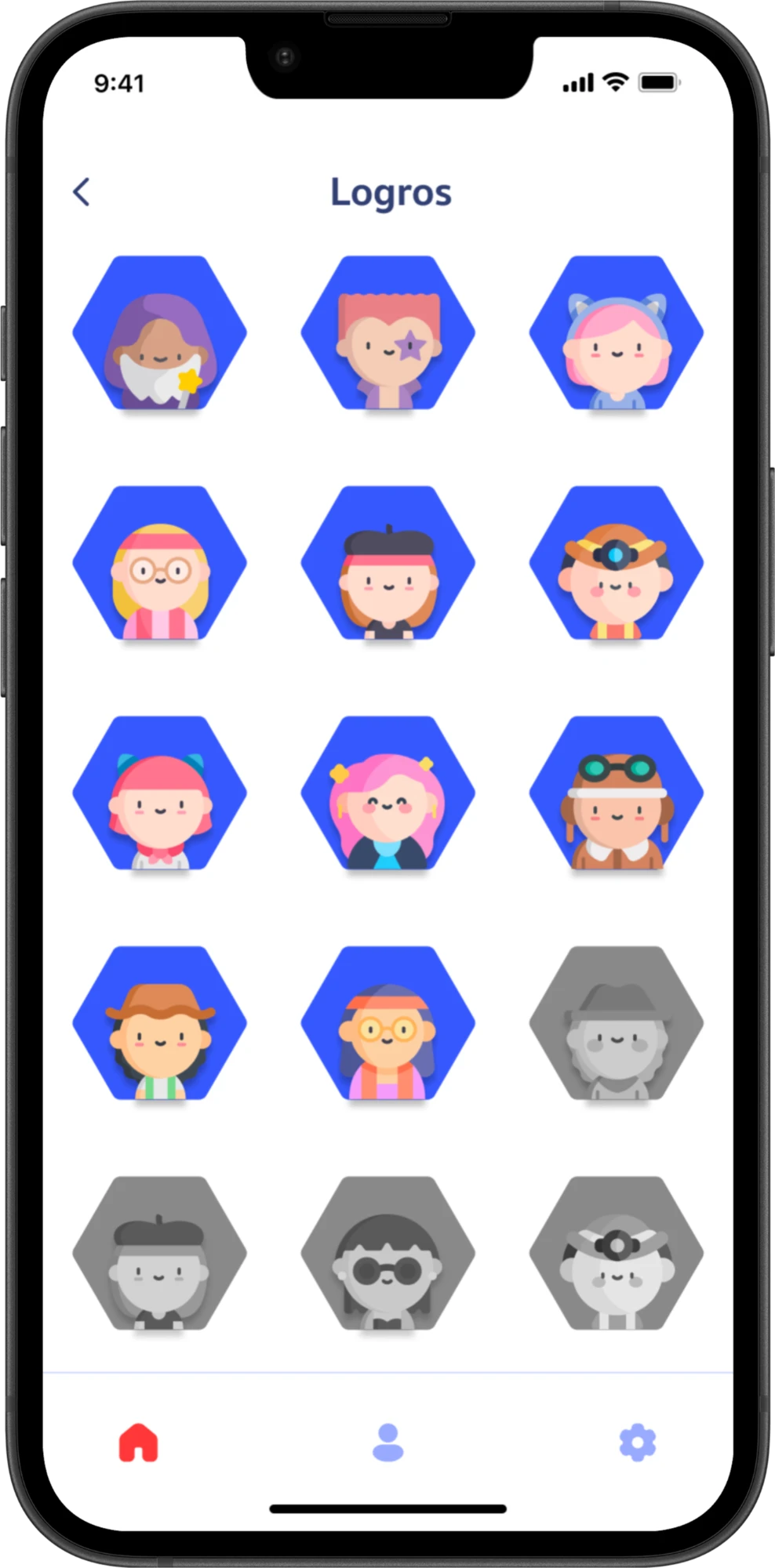
Testing revealed a competing focus: rewards
During prototype sessions with five children aged 6–9 (four boys and one girl), I observed attention shifting toward collectible characters instead of the intended task.
This raised a question about whether rewards supported the activities or became a competing destination. A next iteration would explore rewards tied to meaningful completion and a clearer stopping point.
Prototype scope and priorities for further testing
Origami resulted in an interactive prototype connecting activity discovery, preparation, instructions, and caregiver tools.
The project taught me to evaluate engagement through what children actually do. Adult feedback revealed unclear elements; sessions with children showed how attention could shift away from the intended task.
Next steps
Origami is an academic prototype. Its effects on screen time, learning, and family routines were not measured.